Step six · about 2 minutes
What to do when you are stuck
Where to look when you do not know what happened or what to do next, from the turn messages to the manual and this wiki.
Being lost is the normal state of a first game. Four places help.
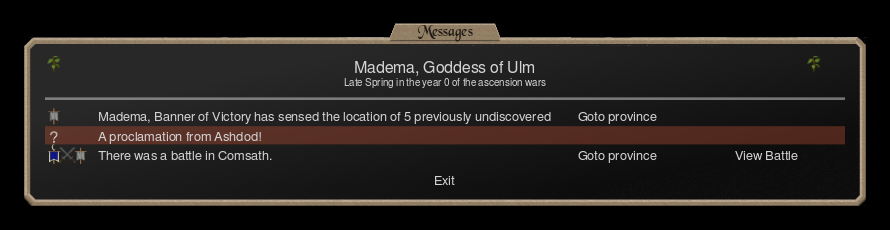
The messages. Every turnturn · One month of game time. Every player gives orders, then all orders are carried out together. Full article opens with a list of what happened: battles, events, discoveries. A battle message links to its replay, and most messages can take you to the province they are about. Read them before anything else.
Right-click. Right-clicking a unit, a spell or an item shows its details, on almost any screen. Most questions of the form “what does this do?” end there.
The manual. Illwinter publishes the Dominions 6 manual as a PDF. It is long and it expects to be read. It is most useful after your first game, when you know which questions you have.
This wiki. The glossary and the acronyms explain the words, and every reference page says which version of the game it was checked against. Press / on any page to search, or start from the nations, units or spells. If a number here is wrong, every page has a Report an error link.
If you are still stuck after all four, it is probably a good question.
What to read next
- For the dice and combat rules under the battles, DRN and Combat.
- For how the choices of this guide stack up over a whole game, the strategy article.
- For one nation at a time, the nations overview, and for every soldier, the units tables.
- For magic, the spells, items, sites and paths.
- To start over, step one.
Terms on this page
Generated from the terms used above. This block is what prints.
- turn
- One month of game time. Every player gives orders, then all orders are carried out together. · Full article · back to text
Not sure this is your kind of game? That's a reasonable conclusion — here is what it is and isn't.